
Introduction
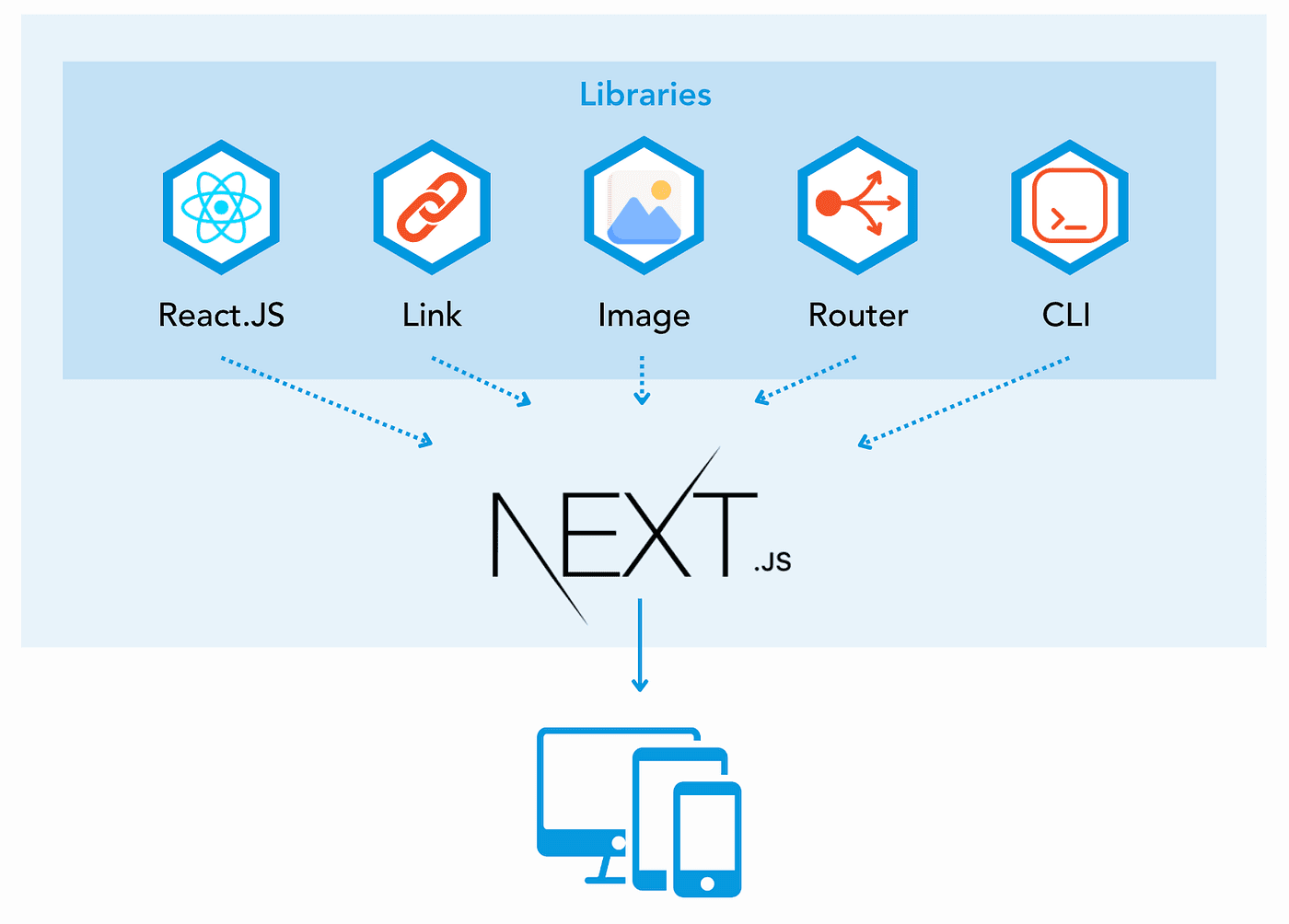
Next.js is one of the most powerful frameworks built on top of React. It helps developers create fast, scalable, and SEO-friendly web applications with ease. In modern web development, performance and search engine optimization play a crucial role, and Next.js solves many of these challenges out of the box.
In this comprehensive guide by TechYantram, you will learn everything about Next.js from basic concepts to advanced features like server-side rendering, static site generation, routing, and API development.
What is Next.js?
Next.js is a React framework developed by Vercel that enables developers to build production-ready web applications. Unlike traditional React applications, Next.js comes with built-in features such as routing, server-side rendering, and API handling.
This makes development faster and more efficient while improving performance and SEO.
Why Next.js is Popular
Next.js has gained massive popularity due to its powerful features and developer-friendly approach.
- Built-in routing system
- Server-side rendering support
- Static site generation
- API routes integration
- Automatic code splitting
- Optimized performance
- SEO-friendly architecture
These features make Next.js suitable for both small and large-scale applications.
Setting Up a Next.js Project
To start using Next.js, you need Node.js installed on your system. Then run the following commands:
npx create-next-app@latest my-app
cd my-app
npm run dev
After running the project, open your browser and visit:
You will see your Next.js application running.
Project Structure Explained
A typical Next.js project structure looks like this:
- pages/
- public/
- styles/
- components/
The pages folder is very important because it controls routing in Next.js.
File-Based Routing
Next.js uses a file-based routing system, which means each file inside the pages directory automatically becomes a route.
Example:
pages/about.js
This will create a route:
/about
Dynamic routes can also be created:
pages/blog/[slug].js
This allows you to create dynamic pages like:
/blog/nextjs-guide
Components in Next.js
Next.js uses React components. You can create reusable components for your application.
Example:
function Header() {
  return <h1>Welcome to TechYantram</h1>;
}
export default Header;
Components help in organizing code and improving reusability.
Styling in Next.js
Next.js supports multiple styling methods:
- CSS Modules
- Global CSS
- Tailwind CSS
- Styled Components
Example using CSS module:
.title {
  color: blue;
}
import styles from "./style.module.css";

export default function Home() {
  return <h1 className={styles.title}>Hello</h1>;
}
Server-Side Rendering (SSR)
Server-side rendering means generating HTML on the server for every request. This improves SEO and initial page load speed.
Example:
export async function getServerSideProps() {
  return {
    props: {
      data: "Server Data"
    }
  };
}
SSR is useful when data changes frequently.
Static Site Generation (SSG)
Static site generation creates pages at build time. This makes the website extremely fast.
Example:
export async function getStaticProps() {
  return {
    props: {
      data: "Static Data"
    }
  };
}
SSG is ideal for blogs and static content.
Incremental Static Regeneration (ISR)
ISR allows you to update static content without rebuilding the entire site.
export async function getStaticProps() {
  return {
    props: { data: "Updated Data" },
    revalidate: 10
  };
}
This updates the page every 10 seconds.
API Routes in Next.js
Next.js allows you to create backend APIs inside the same project.
Example:
export default function handler(req, res) {
  res.status(200).json({ message: "Hello from API" });
}
API routes are useful for handling form submissions, authentication, and database operations.
Image Optimization
Next.js provides a built-in Image component that automatically optimizes images for better performance.
Benefits:
- Lazy loading
- Responsive images
- Faster loading
SEO Benefits of Next.js
Next.js is highly SEO-friendly because:
- Pages can be server-rendered
- Faster loading speed
- Clean URL structure
- Metadata handling
You can use the Head component to manage SEO:
import Head from "next/head";

export default function Page() {
  return (
    <>
      <Head>
        <title>TechYantram</title>
      </Head>
      <h1>SEO Page</h1>
    </>
  );
}
Performance Optimization
Next.js automatically optimizes performance through:
- Code splitting
- Image optimization
- Static generation
- Caching
These features ensure your application runs efficiently.
Real-World Use Cases
Next.js is widely used in:
- Blogging platforms
- E-commerce websites
- SaaS applications
- Portfolio websites
- Enterprise dashboards
Next.js vs React
React is a library, while Next.js is a framework built on top of React.
React:
- Requires manual setup
- No built-in routing
- No SSR by default
Next.js:
- Built-in routing
- Supports SSR and SSG
- Better SEO
Best Practices
- Use SSG for static pages
- Use SSR for dynamic content
- Organize components properly
- Optimize images and assets
- Use environment variables securely
Common Mistakes to Avoid
- Using SSR everywhere
- Ignoring performance optimization
- Poor folder structure
- Not handling SEO properly
Learning Path for Next.js
- Learn JavaScript basics
- Understand React fundamentals
- Start with Next.js basics
- Learn routing and data fetching
- Build real projects
Conclusion
Next.js is a powerful framework that simplifies modern web development. It provides everything you need to build fast, scalable, and SEO-friendly applications.
By mastering Next.js, you can create production-ready applications with excellent performance and user experience.
TechYantram recommends practicing regularly and building real-world projects to gain expertise.
FAQs
What is Next.js?
Next.js is a React framework for building fast and SEO-friendly web applications.
Is Next.js good for beginners?
Yes, if you know basic React, you can easily learn Next.js.
What is SSR in Next.js?
SSR means rendering pages on the server for better performance and SEO.
What is SSG in Next.js?
SSG means generating pages at build time for faster loading.